
Your wardrobe, in view
A digital closet for the clothes you own
Bring your clothing photos into OutfitMuse, browse your wardrobe by category, and find a piece to build your next outfit around.
Get OutfitMuseDownload for iPhone or Android from the stores listed on this site. Check your store for device compatibility and availability.
Availability and support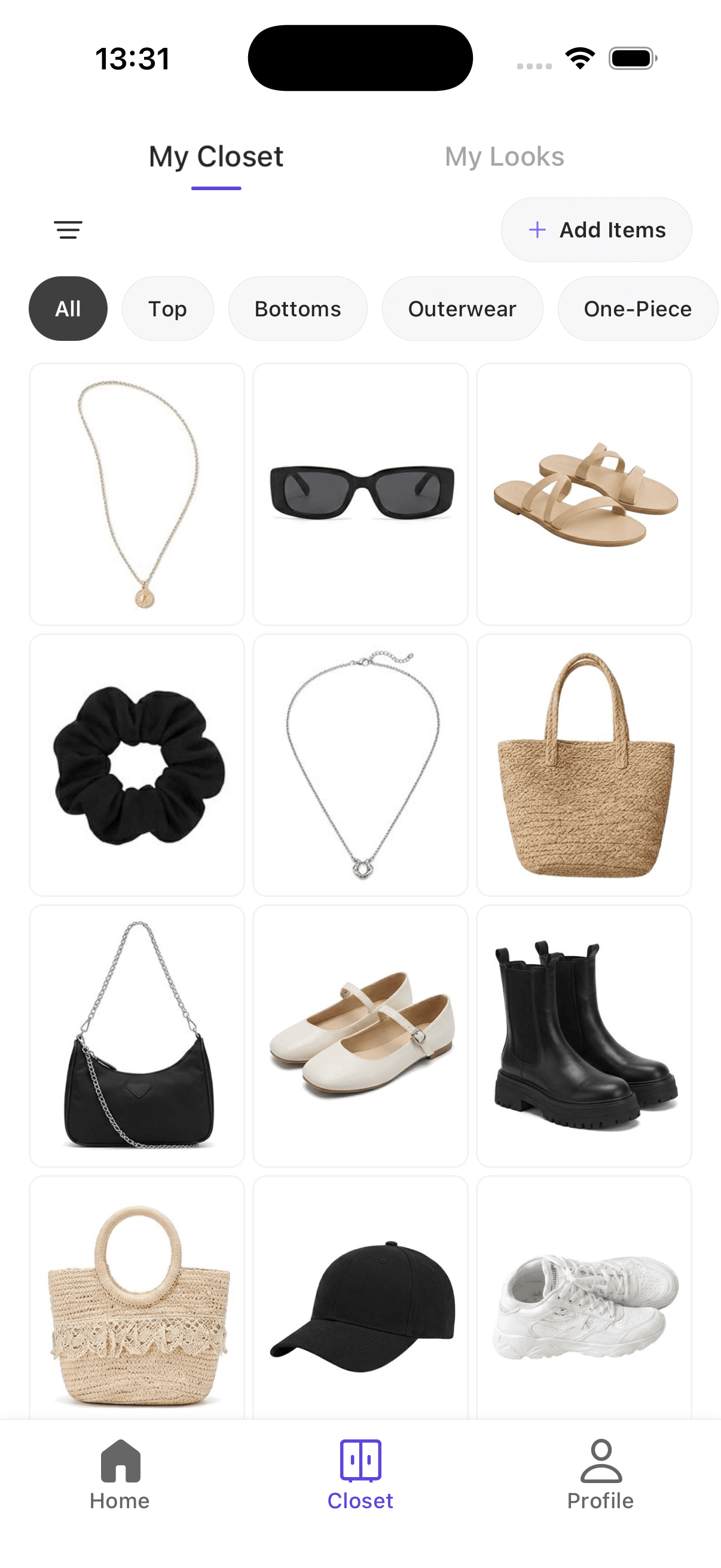
Start with a few pieces you wear often
- 1
Add clothing photos
Use your camera or choose photos from your gallery to add items to your wardrobe. Start with a small group of everyday pieces, then add more as you go.
- 2
Browse by category
Use clothing categories and the available season and occasion filters to narrow down your wardrobe. A visual grid helps you recognize the piece you want to wear.
- 3
Choose a starting piece
Open Style an Item and select one wardrobe item to start an outfit recommendation. Your chosen item gives the styling ideas a concrete starting point.
Make a familiar piece easier to use
Suppose you want to wear a gray blazer tomorrow. Find that piece in your digital closet, then use it as the starting item for outfit ideas. Compare the suggestions with the pants, shoes, and accessories you actually have before deciding what to wear.
What to expect from your digital closet
Adding photos creates a visual wardrobe you can browse in the app. It does not automatically catalog your physical closet. Outfit recommendations may also include suggested pieces you do not own, so check each result against your wardrobe.
Frequently asked questions
What is a digital closet?
A digital closet is a collection of clothing photos you can browse on your phone. In OutfitMuse, you can add wardrobe items, browse categories, and use a selected piece as a starting point for outfit ideas.
Do I need to photograph my whole wardrobe first?
You can start by adding a few items. A useful first group is the pieces you wear most often or one piece you want help styling. Add the rest when it is useful to you.
Can I filter my wardrobe?
The wardrobe has clothing category, season, and occasion filters. Use these to narrow the grid and look for the item you want to style.
How is a digital closet different from a photo album?
A photo album can be enough if you only want a visual inventory. OutfitMuse adds clothing categories and season and occasion filters, so you can narrow down your collection when looking for a piece. Choose the approach that helps you find your clothes without adding unnecessary work.
How do I know my clothing photos have been saved?
Wait for processing to finish, review the completed items, and confirm that you want to add them to your closet. Then return to Closet and check that they appear. If an item seems missing, check All and clear the season and occasion filters before uploading it again. Starting an upload does not by itself mean the item has been saved.
Follow the wardrobe setup guideWill outfit ideas use only clothes I own?
Not necessarily. A recommendation can combine your wardrobe items with AI-suggested pieces. Check which pieces you already own before treating a suggestion as a ready-to-wear outfit.